
What this feature does:
Account Settings allow users to manage personal details, password security, support access, and account deletion options from a single screen.
When to use it:
Use Account Settings when you need to update profile details, change password, contact support, or review account lifecycle actions.
How to use it:
- Open Settings.
- Review the Personal Info card and tap edit to update profile details.
- Open Change Password to update account credentials.
- Use Contact Support when you need product or account help.
- Open About App to view app-level information.
- Use Delete Account only when you intend to schedule permanent account removal.
Expected result:
Your account preferences and profile details are updated, and selected support or security actions are applied.
Important notes:
- Personal info can include first name, last name, email, and phone.
- Password updates typically require current password verification.
- Account deletion is scheduled and then permanently completed after the retention period shown in the app (for example, 30 days in the current UI).
- Deletion should be confirmed carefully because access may be removed after processing.
Screenshots
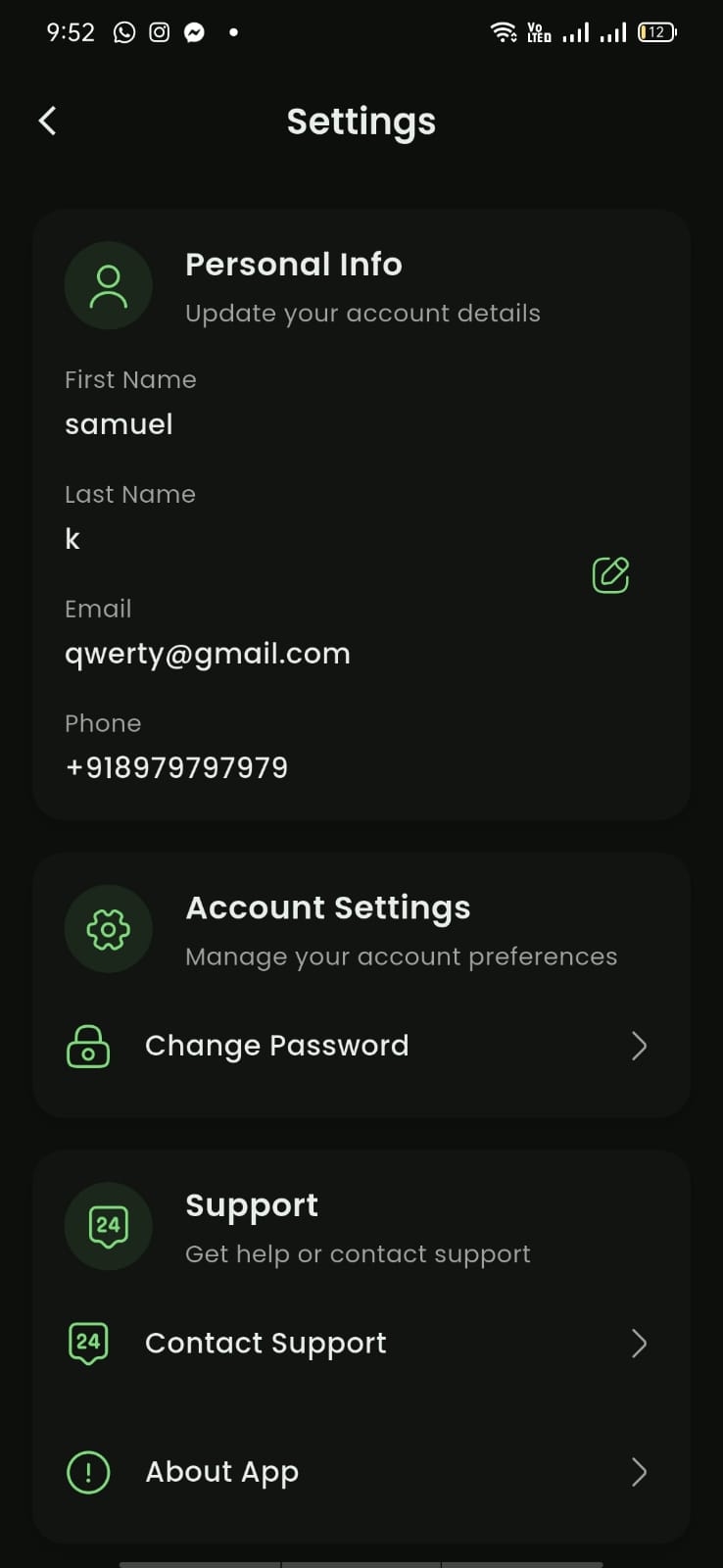
Mobile View
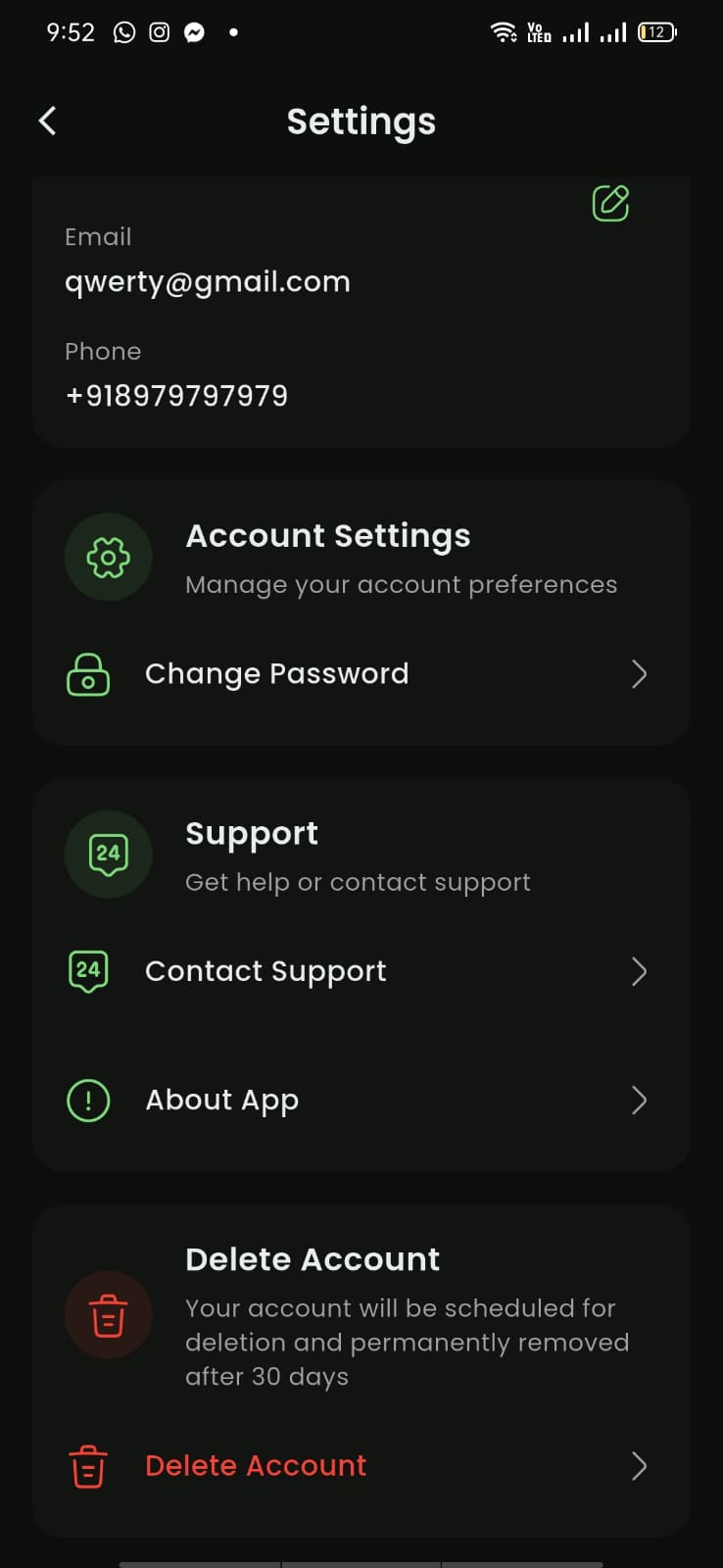
Mobile View