
What this feature does:
Support provides two help paths: direct company contact and in-app support tickets.
Contact Chazt Support
📧 Email
📱 Phone / WhatsApp
🕘 Support Hours
Monday to Friday, 9am to 5pm
⏱ Average Response Time
24 hours
When to use direct contact:
Use direct contact for urgent account or access issues, escalation requests, or when you need a quick follow-up from the support team.
In-App Support Tickets
When to use tickets:
Use support tickets for detailed product issues, bug reports, and trackable follow-up.
How to use it:
- Open Help > Support.
- Select Support Tickets.
- On the list page, review existing tickets or tap Refresh.
- Select Create to open Create New Ticket.
- Fill in:
- Category
- Subject
- Description
- Select Submit Ticket.
Expected result:
Your support ticket is submitted and appears in the ticket list for tracking and follow-up.
Important notes:
- Add clear steps, expected behavior, and screenshots to speed up resolution.
- Subject is limited by the in-app character counter (
0/100). - Ticket workflow behavior may depend on Ticket Settings.
Screenshots
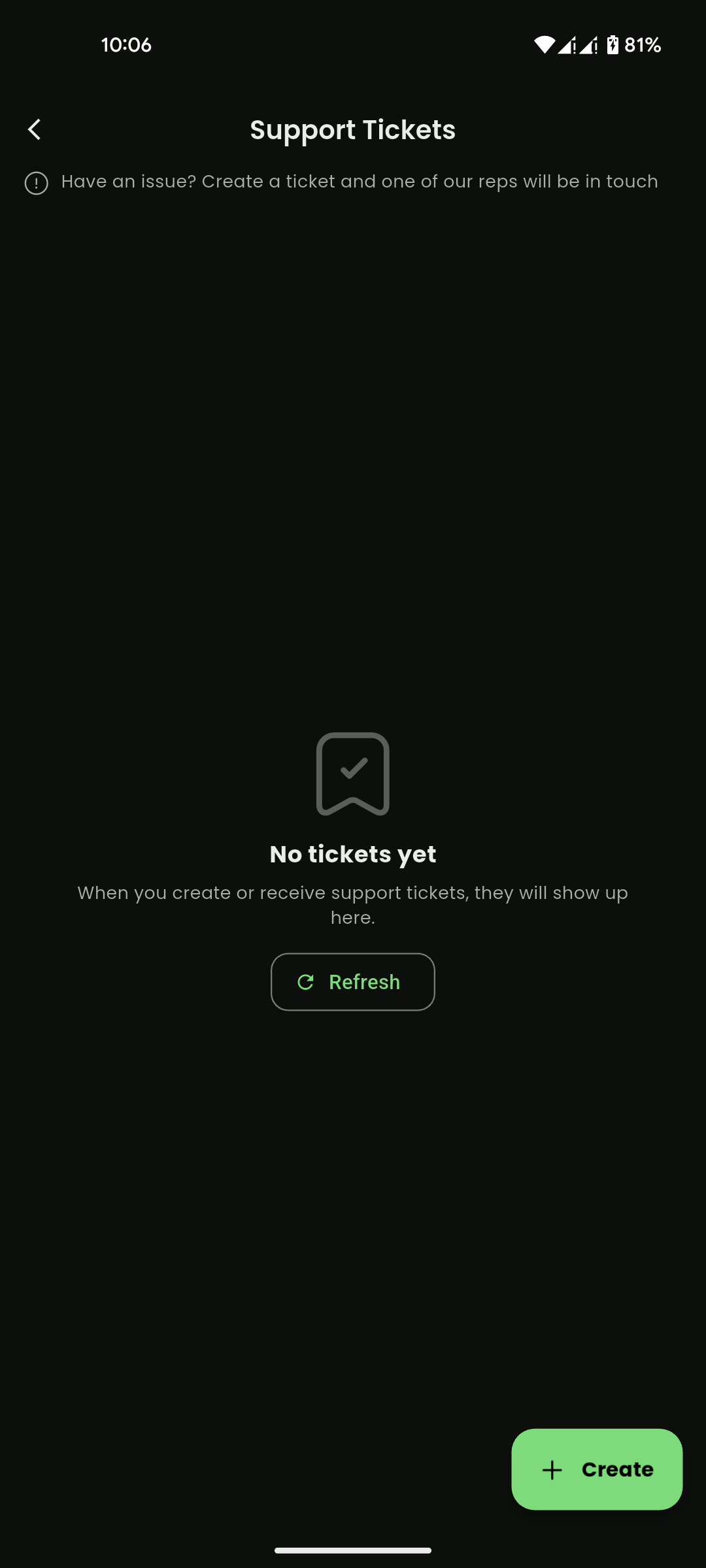
Mobile View
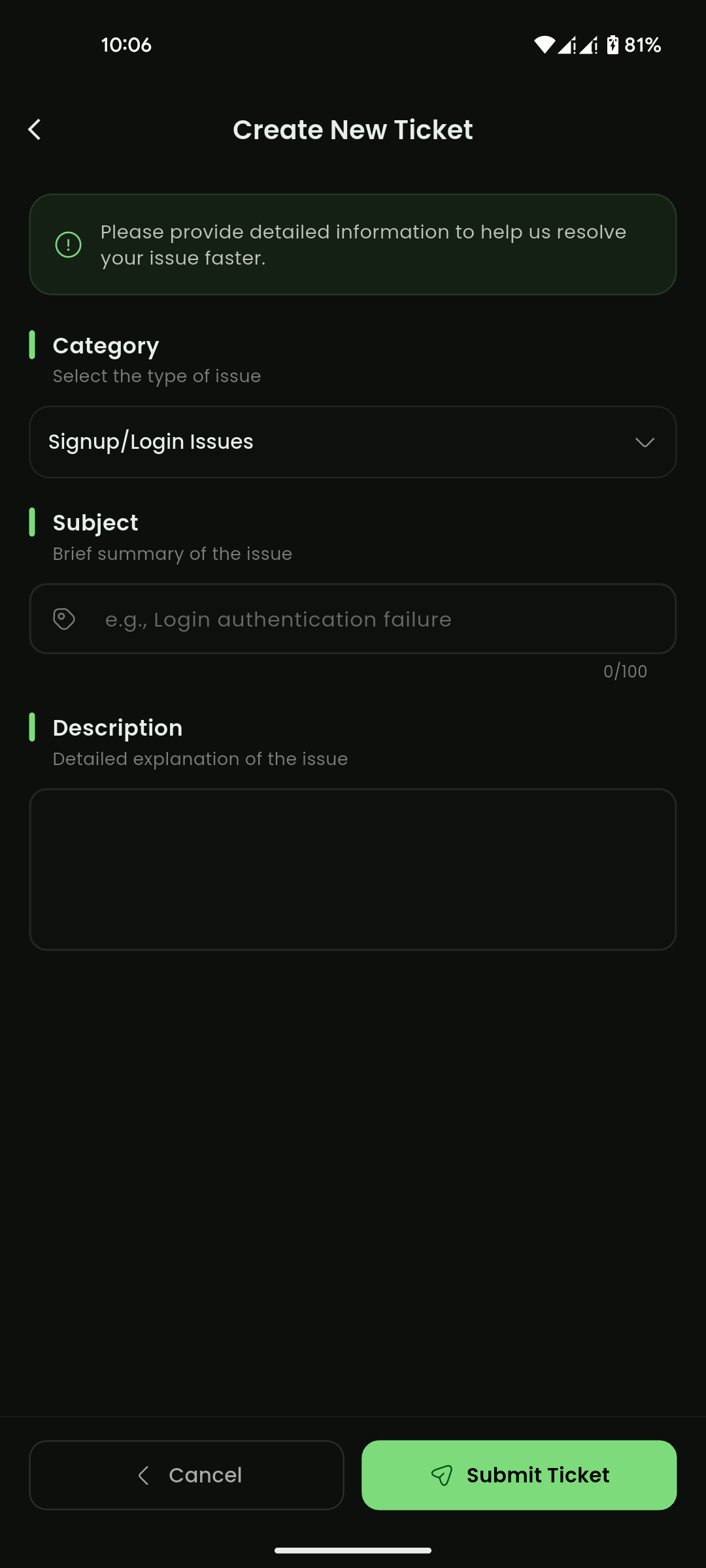
Mobile View