
What this feature does:
AI Replies Assistant automatically drafts smart replies using your knowledge base and channel-level AI settings.
When to use it:
Use AI Replies Assistant when you want automated, context-aware replies across connected channels.
How to use it:
- Open Automation.
- Select AI Replies Assistant.
- Turn on AI Replies Assistant.
- Optional: Turn on AI Automated Call to allow AI during automated calls.
- In AI Assistant by Platform, enable or disable AI per channel:
- Messenger
- In Knowledge Base, select Upload Document.
- Enter a document title.
- Upload a supported file type (
PDF,DOCX, orTXT). - Save or confirm upload.
Expected result:
AI replies run based on enabled channels and available knowledge base documents.
Important notes:
- Platform-level toggles let you control AI separately for each channel.
- Knowledge documents improve reply quality for business-specific topics.
- Uploaded documents can be searched from the Knowledge Base section.
- Review AI-generated responses before sending when needed.
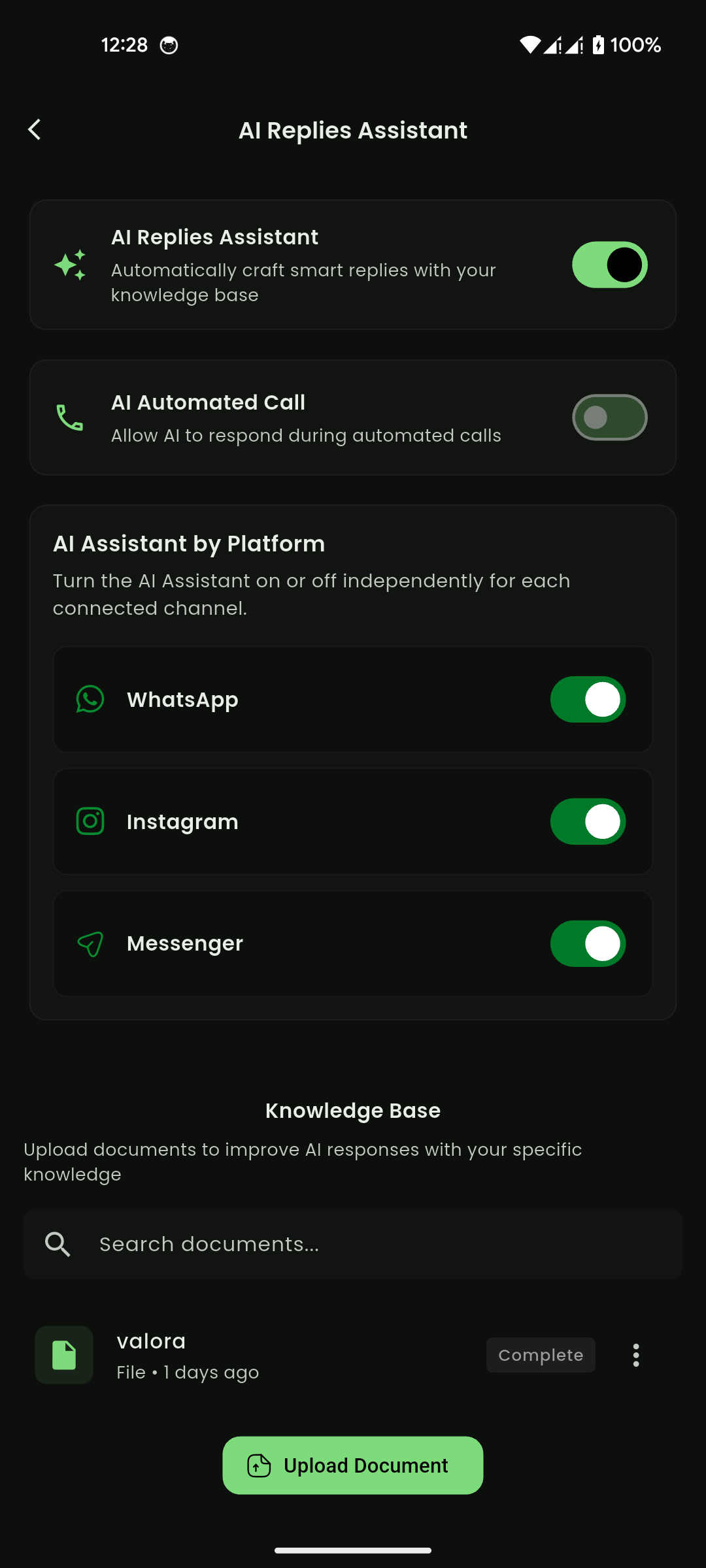
Mobile View
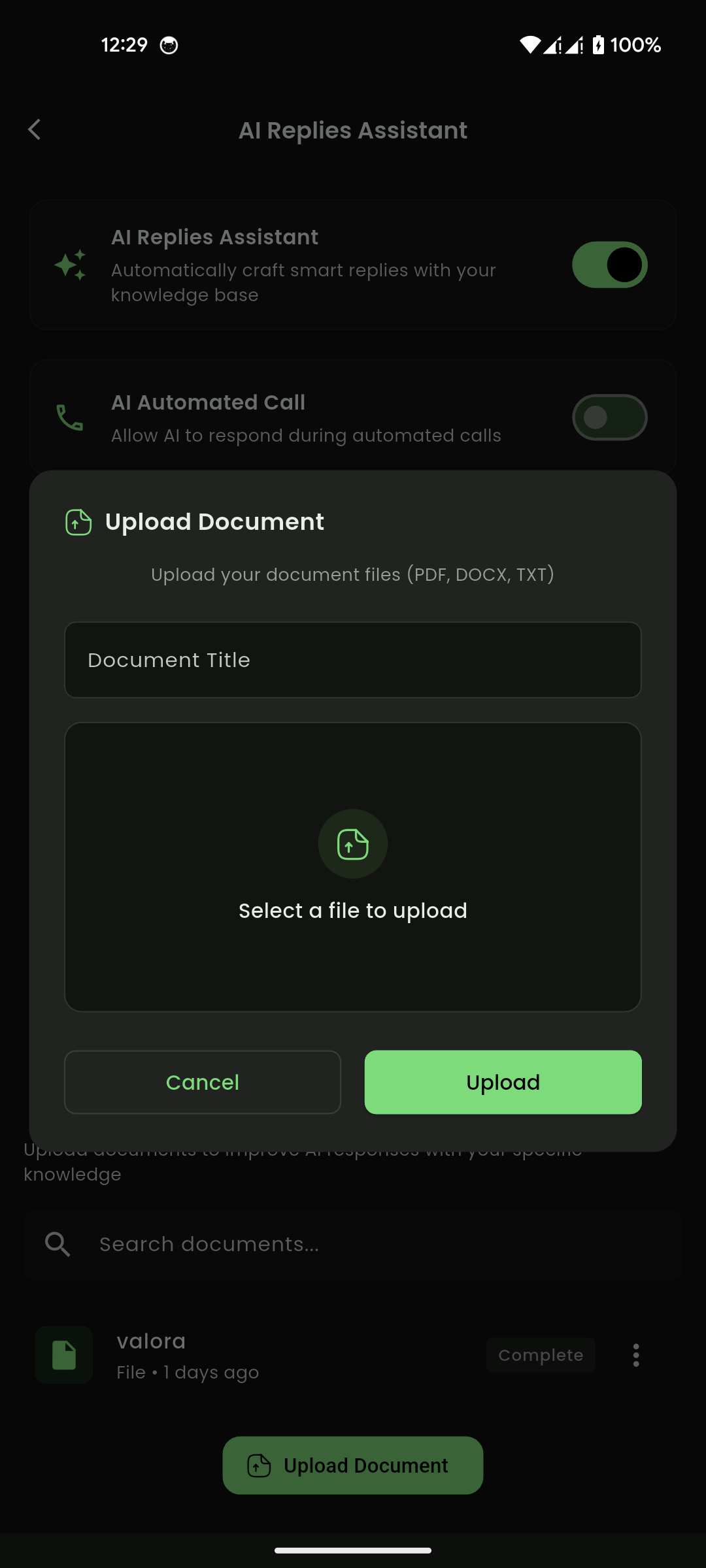
Mobile View