
What this feature does:
Basic Replies allow teams to create rule-based replies using trigger text, match criteria, and response types.
When to use it:
Use Basic Replies for frequently asked questions or repeated responses.
How to use it:
- Open Automation.
- Select Basic Replies.
- Use search to find existing replies by name or trigger text.
- Select + to create a new reply.
- Enter a reply name.
- Enter the trigger text.
- Choose a match criteria (for example, exact match or contains).
- Choose response type (for example, text or image).
- Enter response content.
- Optional: add variables if required.
- Save the reply.
Expected result:
The saved reply appears in the Basic Replies list and can be used according to its configured criteria.
Important notes:
- Basic replies can be searched.
- Replies list may show match criteria, response type, and last updated time.
- Replies can be edited or deleted from item actions.
- Match behavior should be confirmed before publishing detailed automation rules.
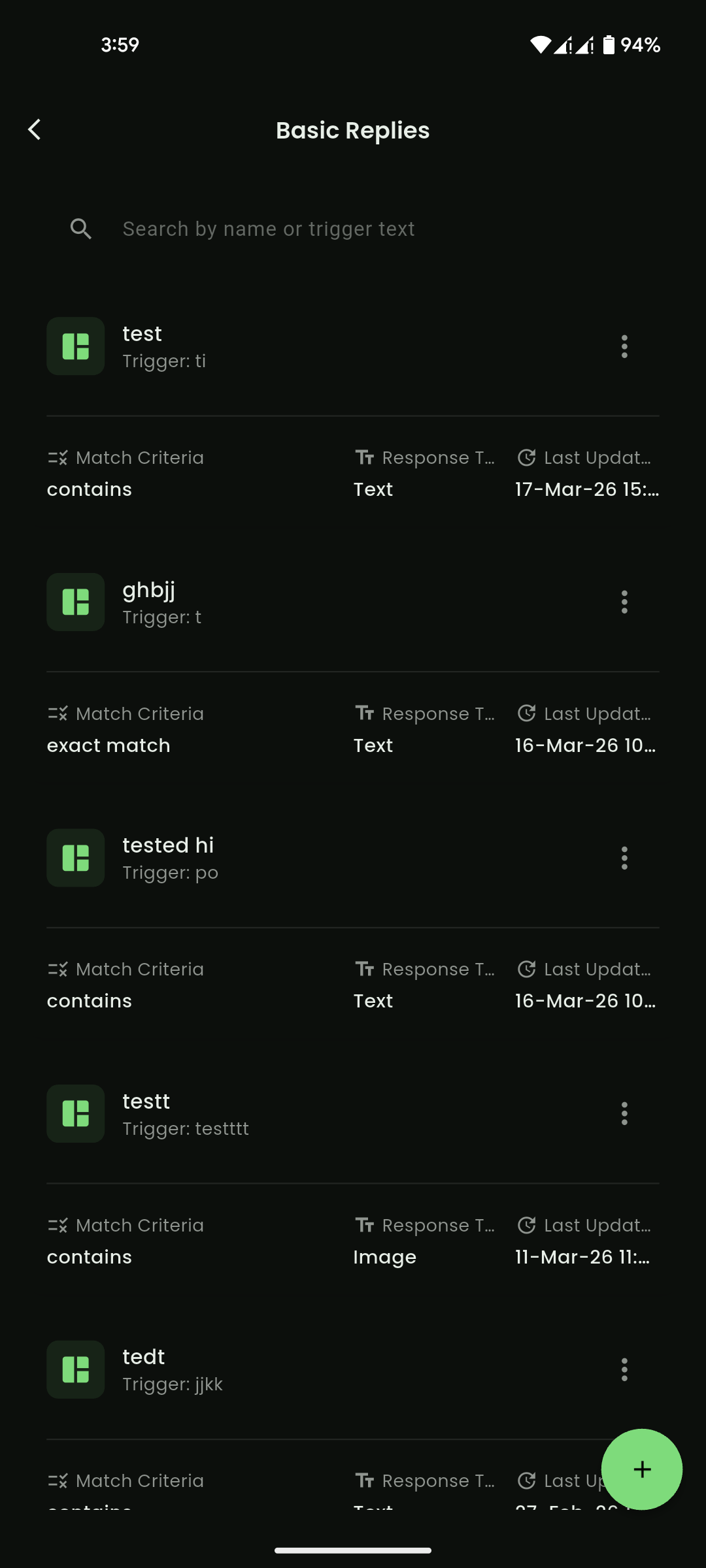
Mobile View
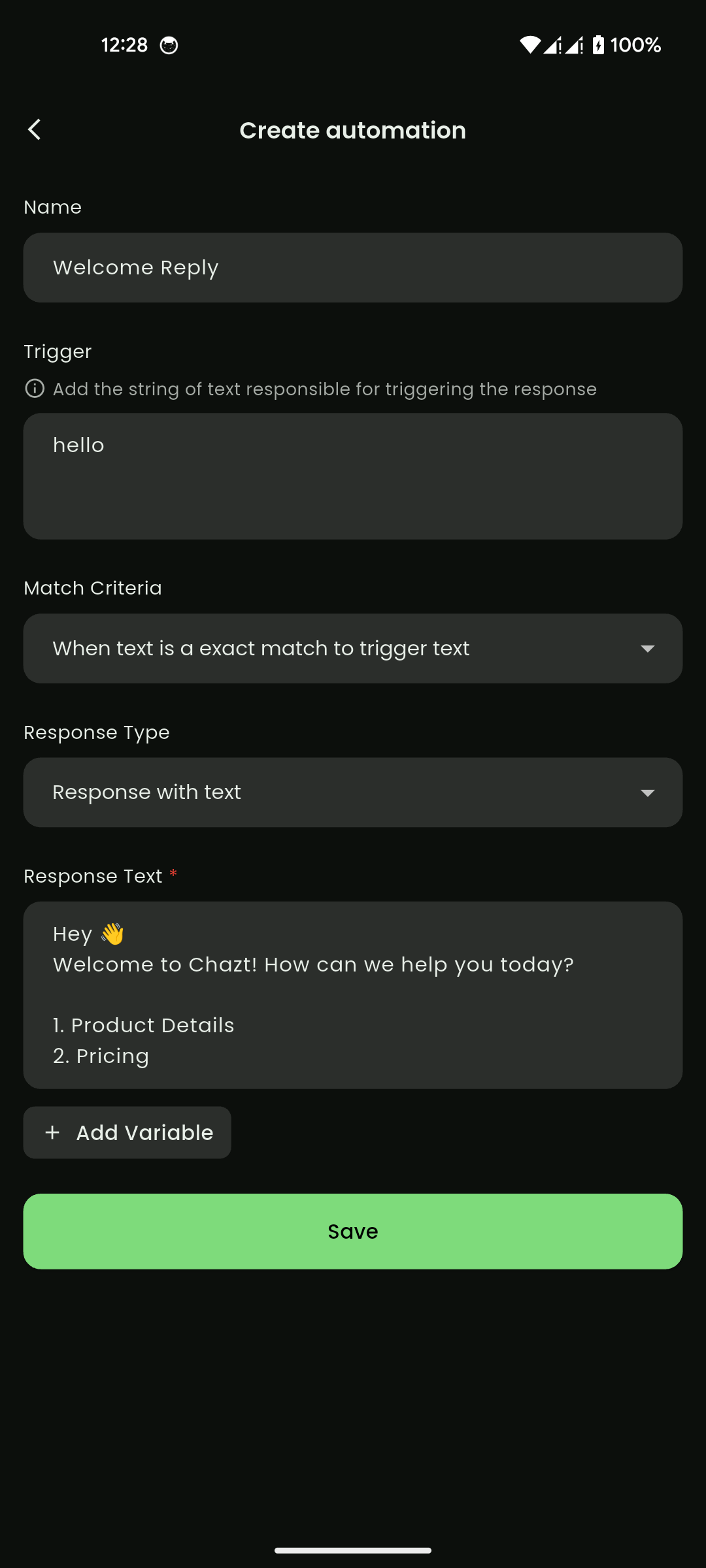
Mobile View