
What this feature does:
The dashboard gives users a starting point for key account activity, quick actions, connection setup, campaign summaries, message activity, and billing alerts.
When to use it:
Use the dashboard when you first log in to check account status, review important alerts, and jump to common tasks.
How to use it:
- Log in to Chazt.
- Review any alerts, such as billing or connection messages.
- Use Quick Actions to open common areas such as Inbox, Orders, Leads, Campaigns, Customers, Contacts, Team, Basic Replies, Billing, or channel setup.
- Review recent campaigns or platform message summaries if available.
- Select a setup card, such as Connect WhatsApp, Connect Instagram, or Connect Messenger, if a channel still needs to be connected.
Expected result:
You can quickly understand what needs attention and move to the correct area of the app.
Important notes:
- Some dashboard features may be limited until channels are connected.
- Billing alerts may restrict messaging or campaigns until resolved.
- Team invitation prompts may appear after login.
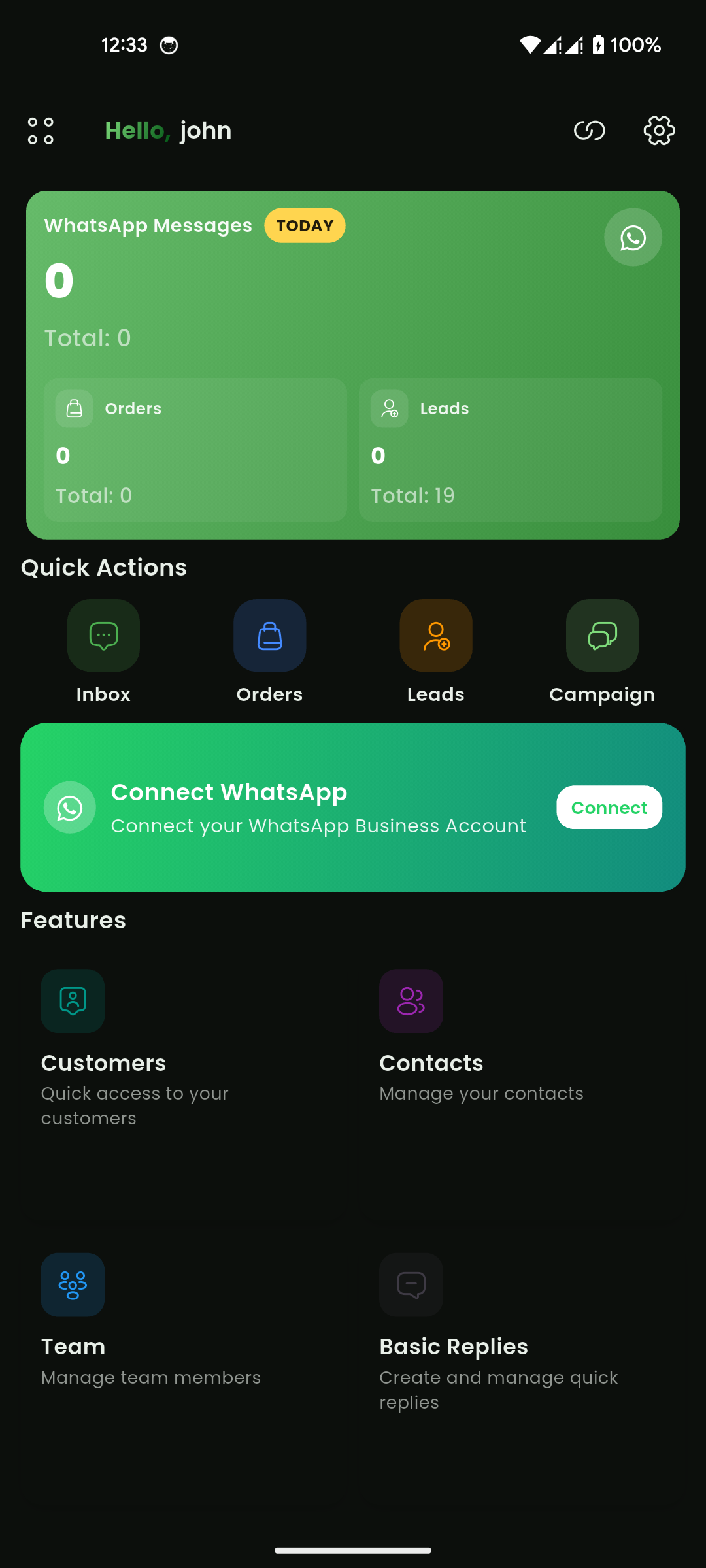
Mobile View