
Google Sheets
What it does:
Google Sheets Sync streams order data into a connected Google Sheet in near real time.
Setup requirements:
- Google account access
- Sheet access permissions
- Integration enabled for the workspace
- Service account editor access on the target sheet
Setup instructions:
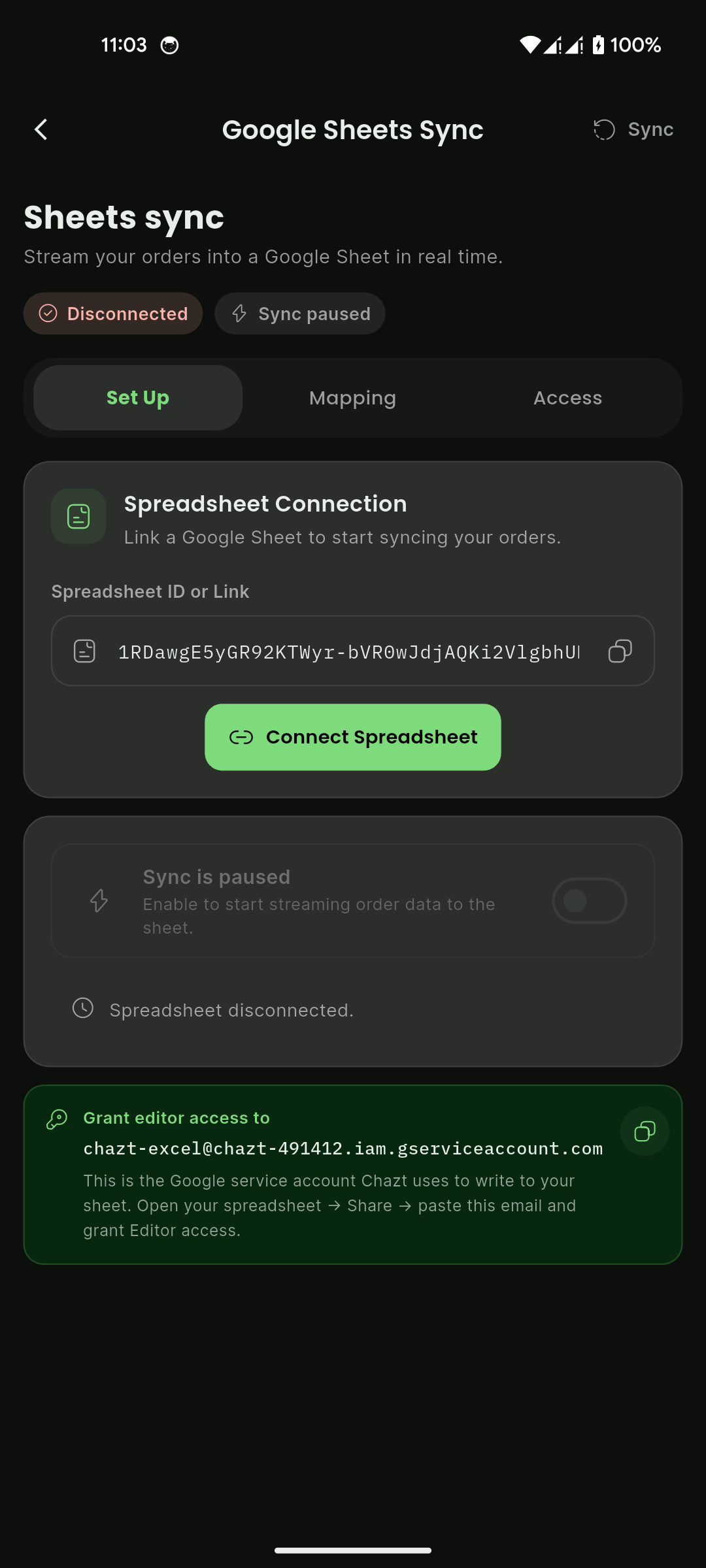
- Open Integrations > Google Sheets Sync.
- In Set Up tab:
- Paste Spreadsheet ID or Link
- Select Connect Spreadsheet
- Confirm status badges change from
Disconnected / Sync pausedtoConnected / Sync enabled
- Grant editor access to the Chazt service account shown in the setup card:
- Open your Google Sheet
- Select Share
- Paste service account email
- Grant Editor permission
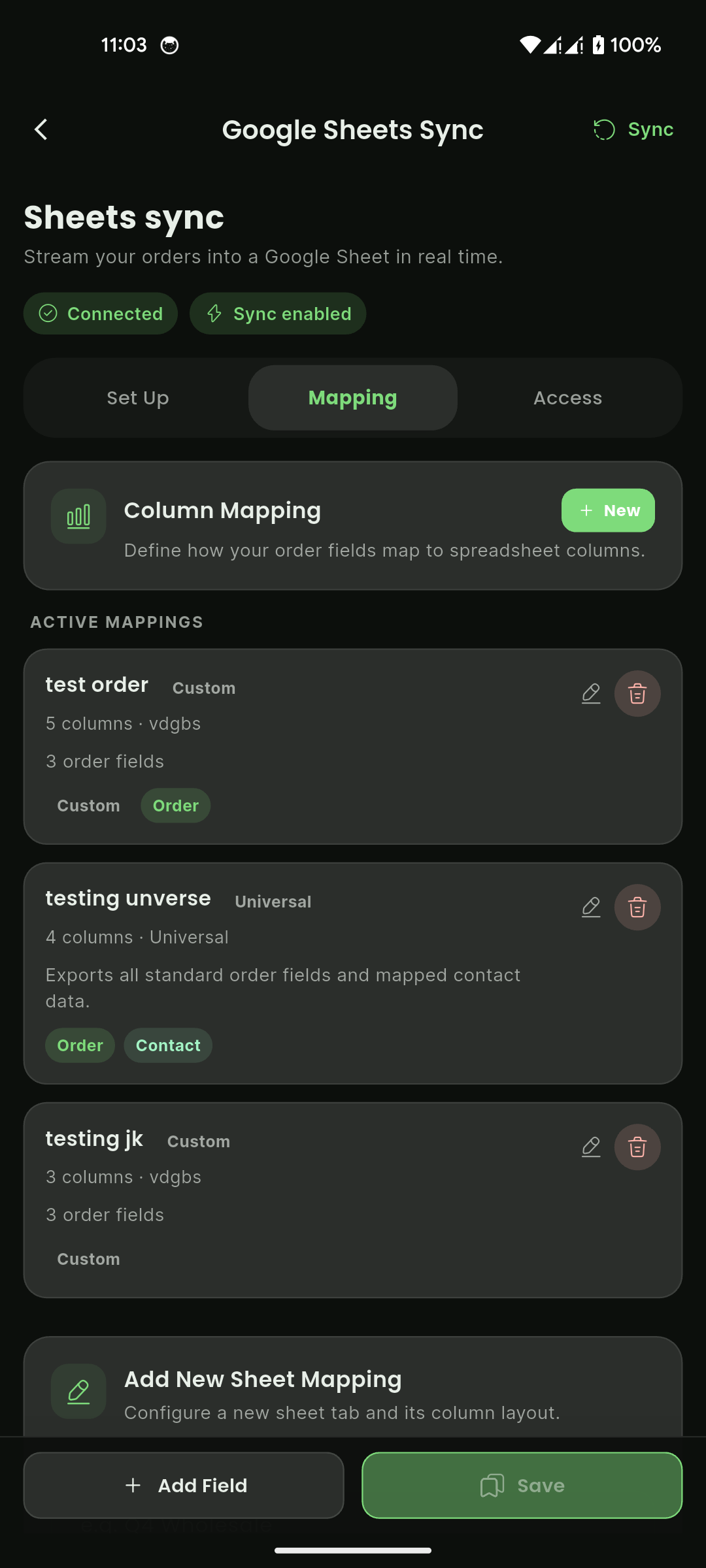
- In Mapping tab:
- Review Active Mappings
- Select + New or Add Field to create mapping
- Map order fields to target columns
- Save mapping
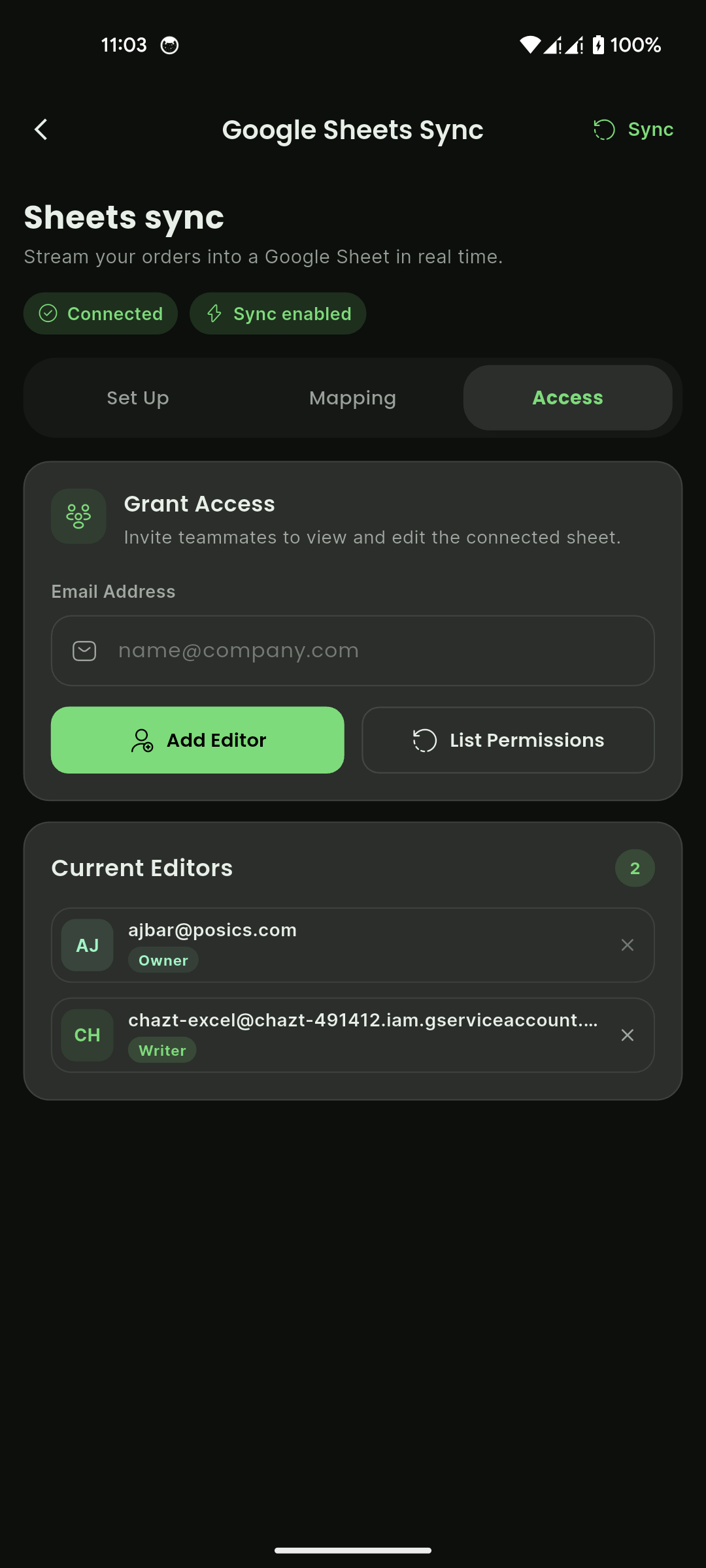
- In Access tab:
- Add teammate email in Grant Access
- Select Add Editor
- Use List Permissions to view current access
- Use Sync (top action) when manual sync is needed.
How to verify it is working:
- Header shows
ConnectedandSync enabled. - Recent orders appear in mapped sheet columns.
- Active mapping list shows configured mapping cards.
- Access list shows owner/writer entries as expected.
Troubleshooting tips:
- If status stays
Disconnected, verify spreadsheet ID/link and reconnect. - If sync is paused, enable sync toggle and re-run Sync.
- If data does not appear, confirm mapping fields and column names.
- If write fails, confirm service account has Editor access.
- If teammate cannot edit, re-add from Access tab and check Google permission propagation.
Mobile View
Mobile View
Mobile View