
What this feature does:
Order Settings allow authorized users to configure order types, order statuses, and status templates for automated replies on order creation or status updates.
When to use it:
Use Order Settings before creating or managing orders when your business needs custom fields and status stages.
How to use it:
- Open Order Settings.
- Choose the area you want to configure:
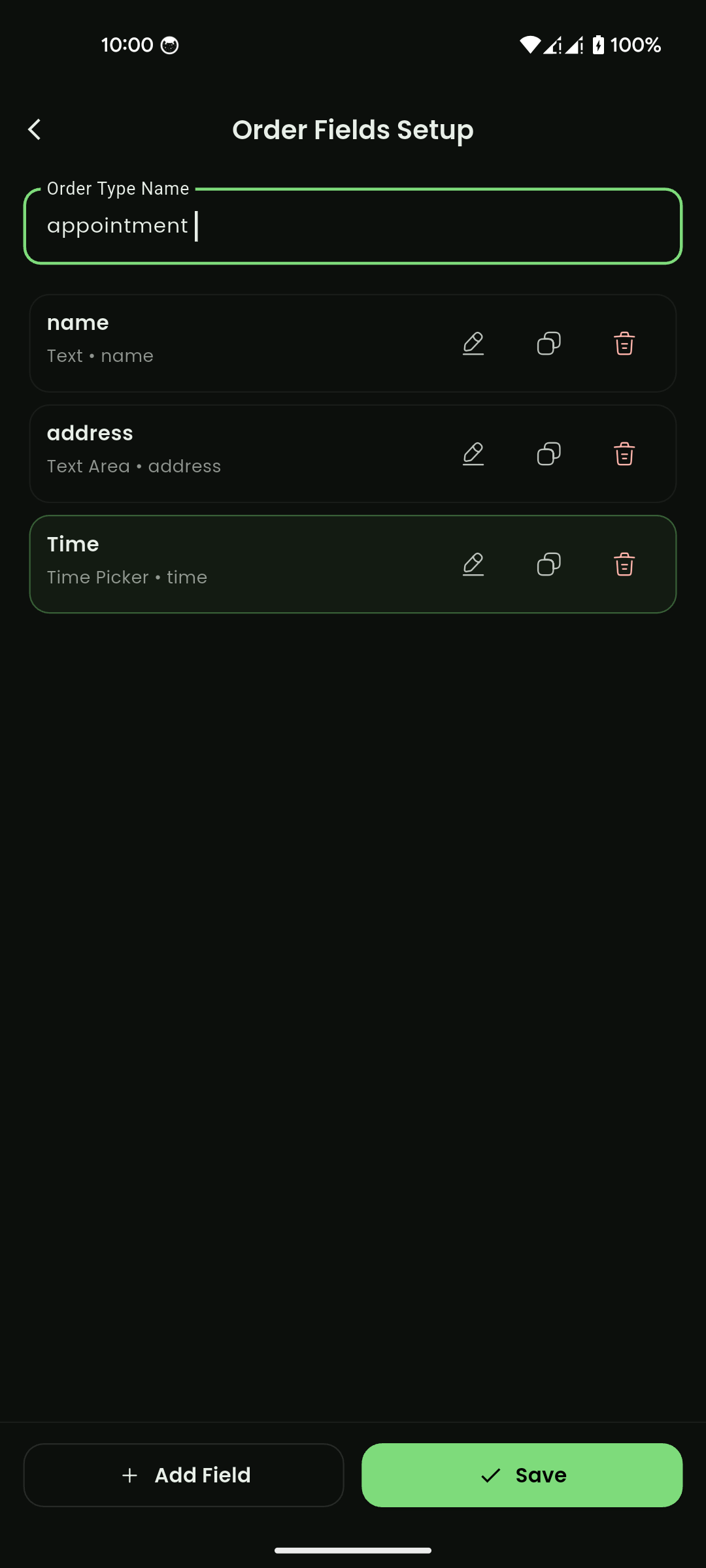
- Order Types
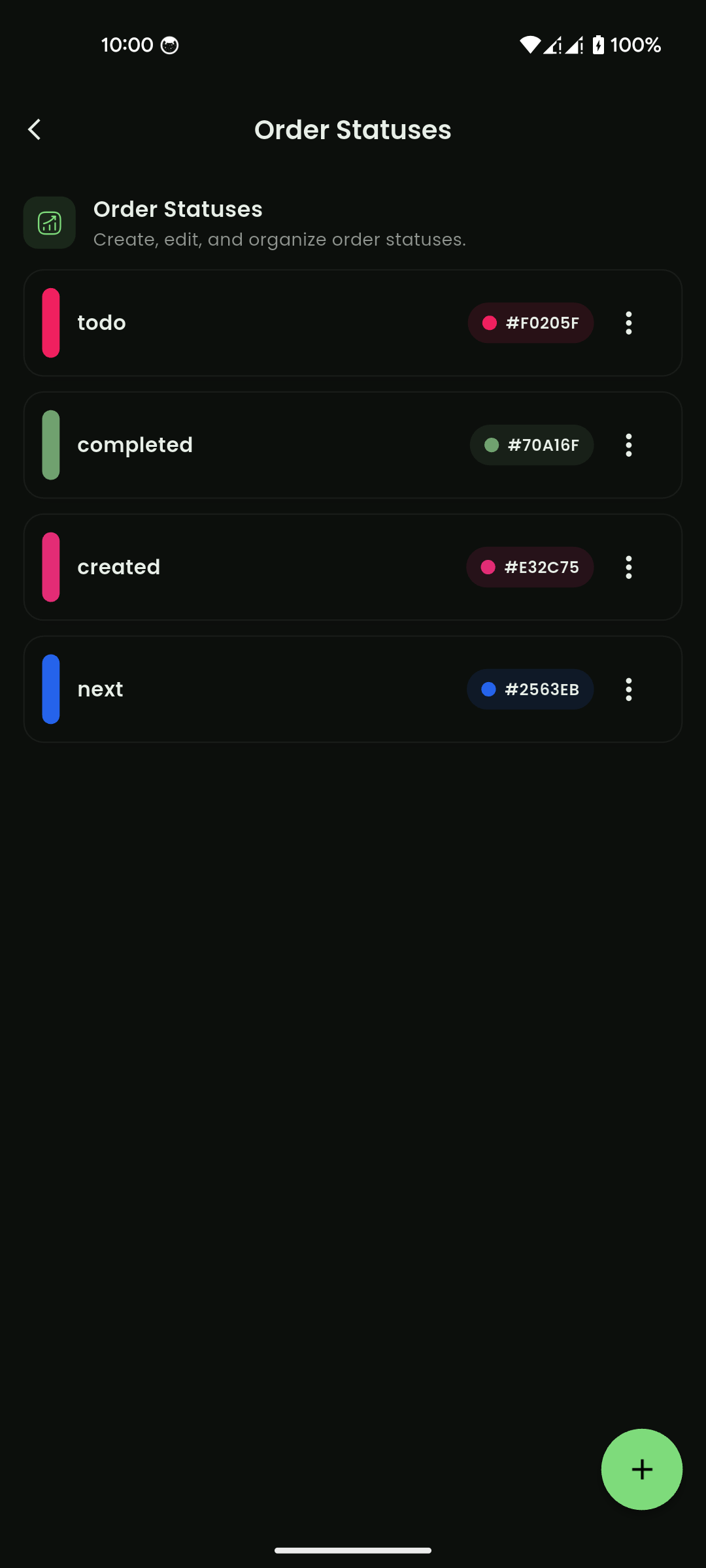
- Order Statuses
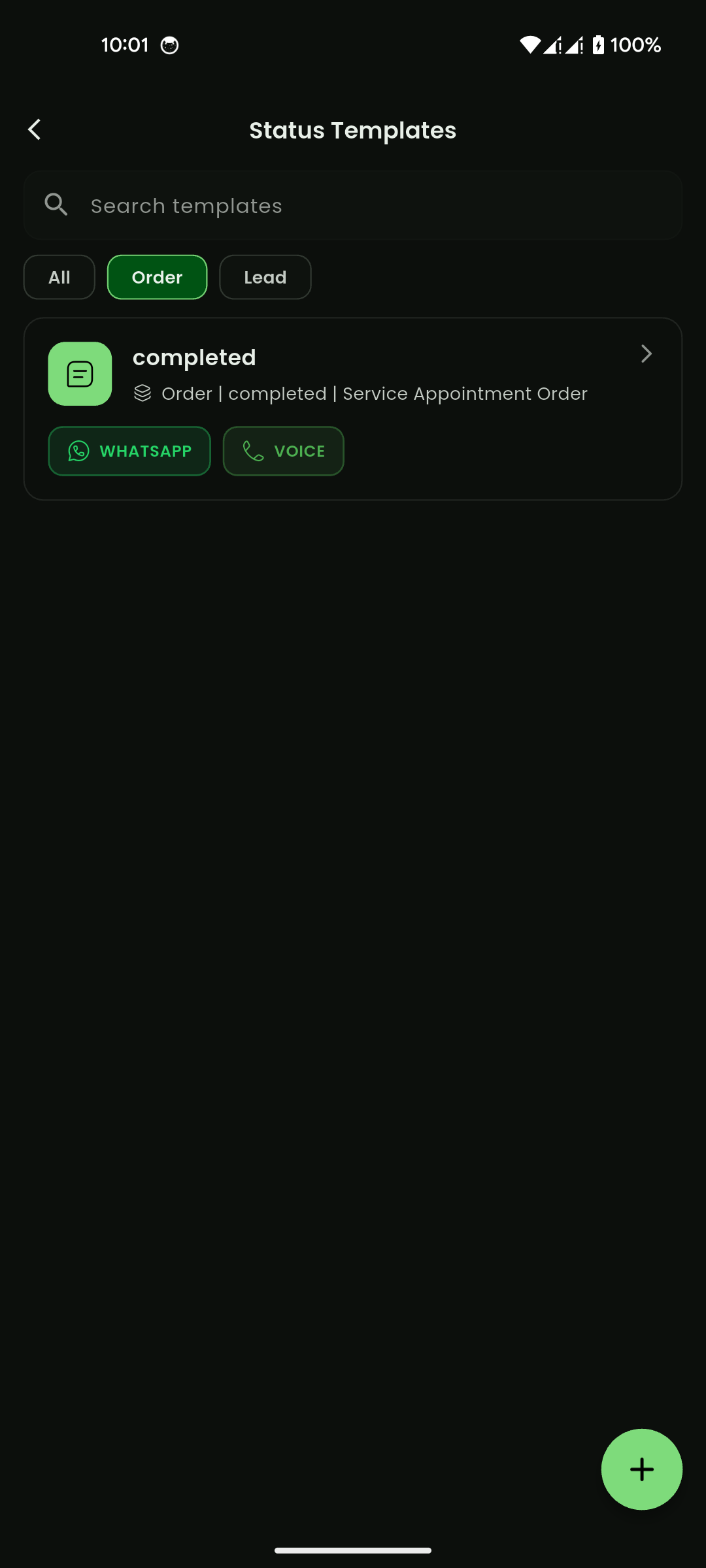
- Status Templates
- For Order Types:
- Enter order type name
- Add, edit, duplicate, or delete fields
- Save the type setup
- For Order Statuses:
- Create a status name
- Assign a color code
- Edit or remove existing statuses
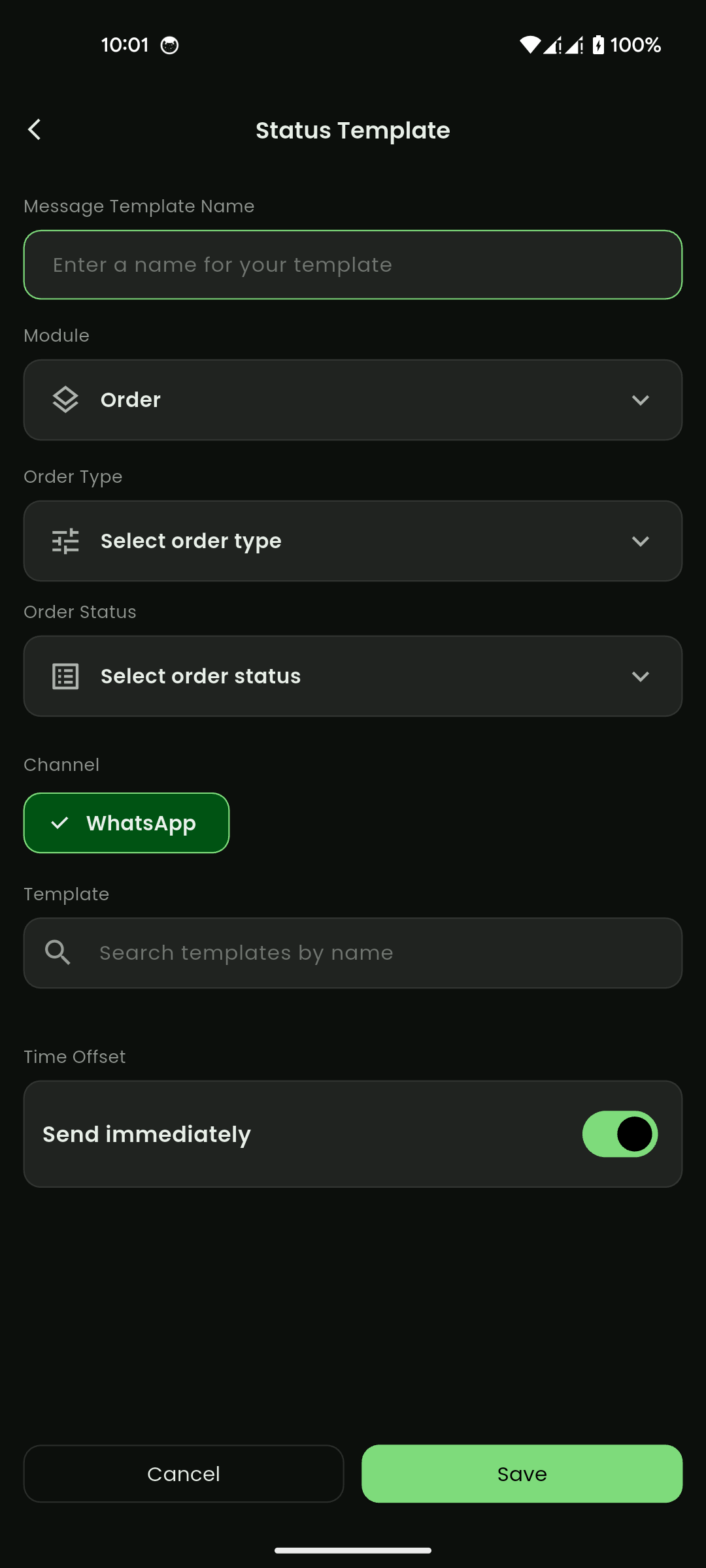
- For Status Templates:
- Open template list and filter by module (example:
Order) - Select + to create a new status template
- Enter template name
- Select module, order type, and order status
- Choose channel (example: WhatsApp/Voice)
- Select a message template
- Configure send timing (
Send immediatelyor offset-based)
- Open template list and filter by module (example:
- Save your changes.
Expected result:
Orders use configured type fields, statuses, and automated templates for status-based communication.
Important notes:
- Some settings may require manager/admin permissions.
- Field setup controls what appears in the Create Order form and Order Details data section.
- Status setup controls what appears in the Update status dropdown and order list status tags.
- Status templates are used to send automatic messages when an order is created or moved to a selected status.
- Channel availability depends on connected integrations and approved templates.
Order statuses
Mobile View
Order type and fields setup
Mobile View
Status template list
Mobile View
Create status template
Mobile View