
What this feature does:
Organization Settings allow authorized users to update organization profile details used across the workspace.
When to use it:
Use Organization Settings when your business name, address, country, or timezone needs to be updated.
How to use it:
- Open Settings.
- Select Organization Settings.
- Update fields such as:
- Organization name
- Physical address
- Zip code
- State
- City
- Country
- Timezone
- Review timezone carefully to ensure reporting and timestamps are aligned.
- Tap Save.
Expected result:
Your organization details are updated.
Important notes:
- Timezone affects how data and dates are processed and displayed.
- Country may be prefilled or locked based on account configuration.
- Organization settings may require manager/admin permissions.
- Keep address fields accurate for billing, compliance, and support operations.
Screenshots
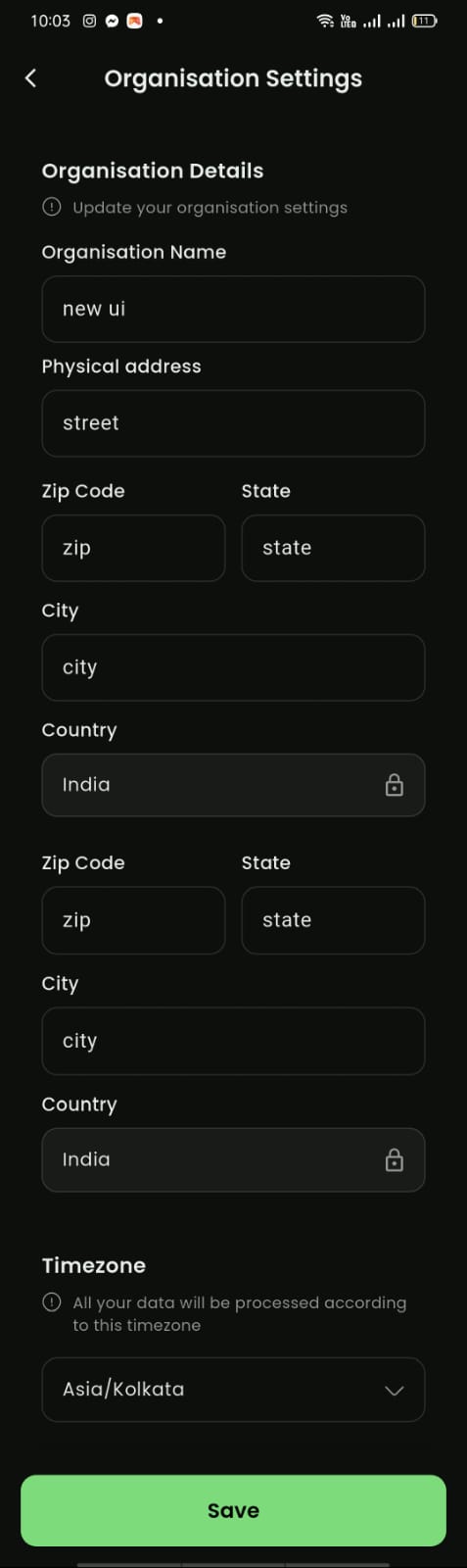
Mobile View
Mobile View