
What this feature does:
Ticket Settings control how ticketing and chat assignment work.
When to use it:
Use Ticket Settings when configuring how your team handles conversations and ticket ownership.
How to use it:
- Open Settings.
- Select Ticket Settings.
- Enable or disable ticketing.
- Choose manual or auto-assignment.
- Configure whether reopened chats are reassigned.
- Configure whether agents can view all unassigned chats or only limited conversations.
- Save changes.
Expected result:
Chazt applies the selected ticketing and assignment behavior.
Important notes:
- Auto-assignment can balance chats across agents automatically.
- Manual assignment allows users to pick chats manually from unassigned conversations.
- Agent visibility is affected by the selected settings.
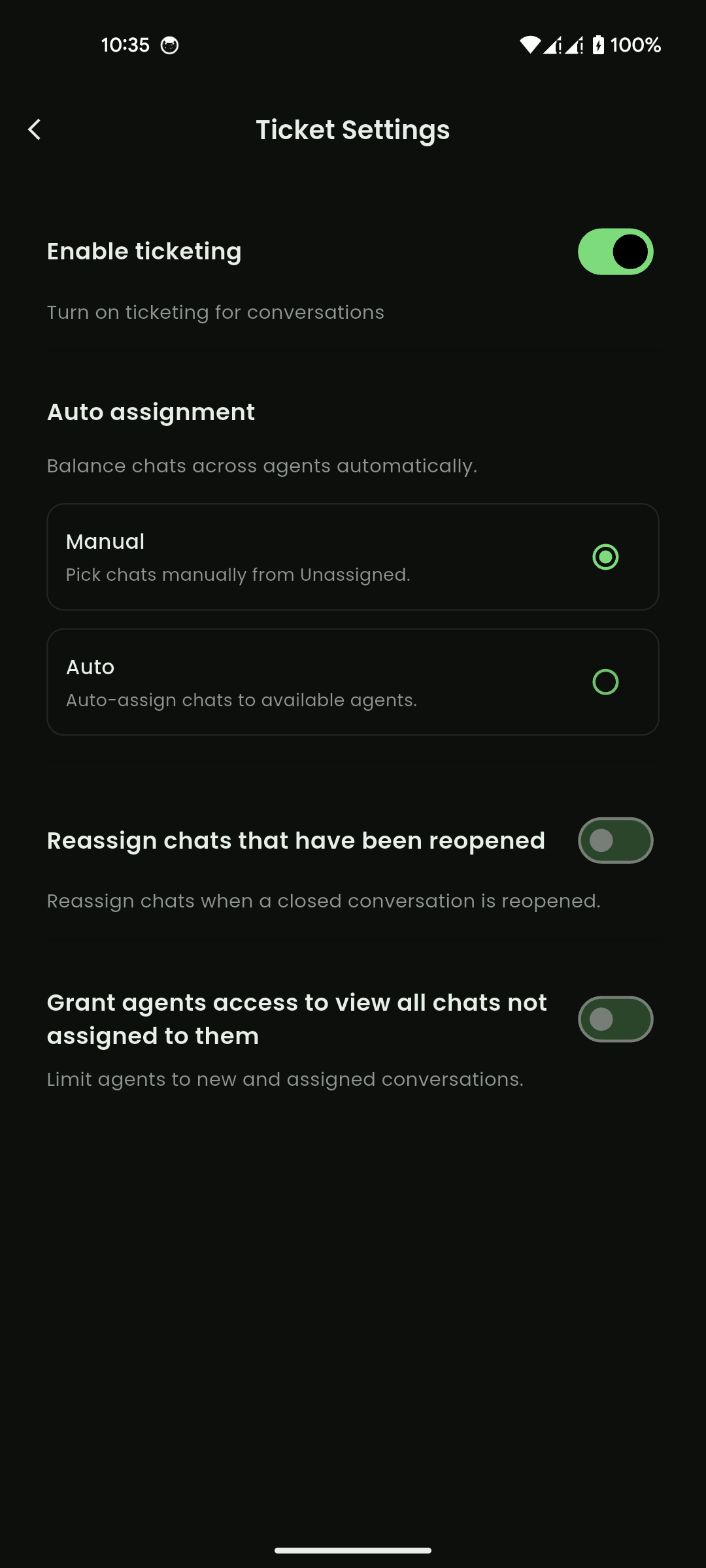
Mobile View