
What this feature does:
Support Tickets let users create and track support issues from one place.
When to use it:
Use tickets when you need to report an issue, add details, and follow support follow-up updates.
How to use it:
- Open Help & Support.
- Select Tickets.
- On Support Tickets list:
- Review existing tickets
- If no tickets exist, use Refresh to recheck
- Select Create to open Create New Ticket.
- Fill the required fields:
- Category
- Subject
- Description
- Select Submit Ticket.
Expected result:
The new support ticket is created and appears in the Support Tickets list.
Important notes:
- Ticketing can be enabled or disabled in Ticket Settings.
- Subject has a character limit (shown in the form as
0/100). - Provide clear issue details to speed up resolution.
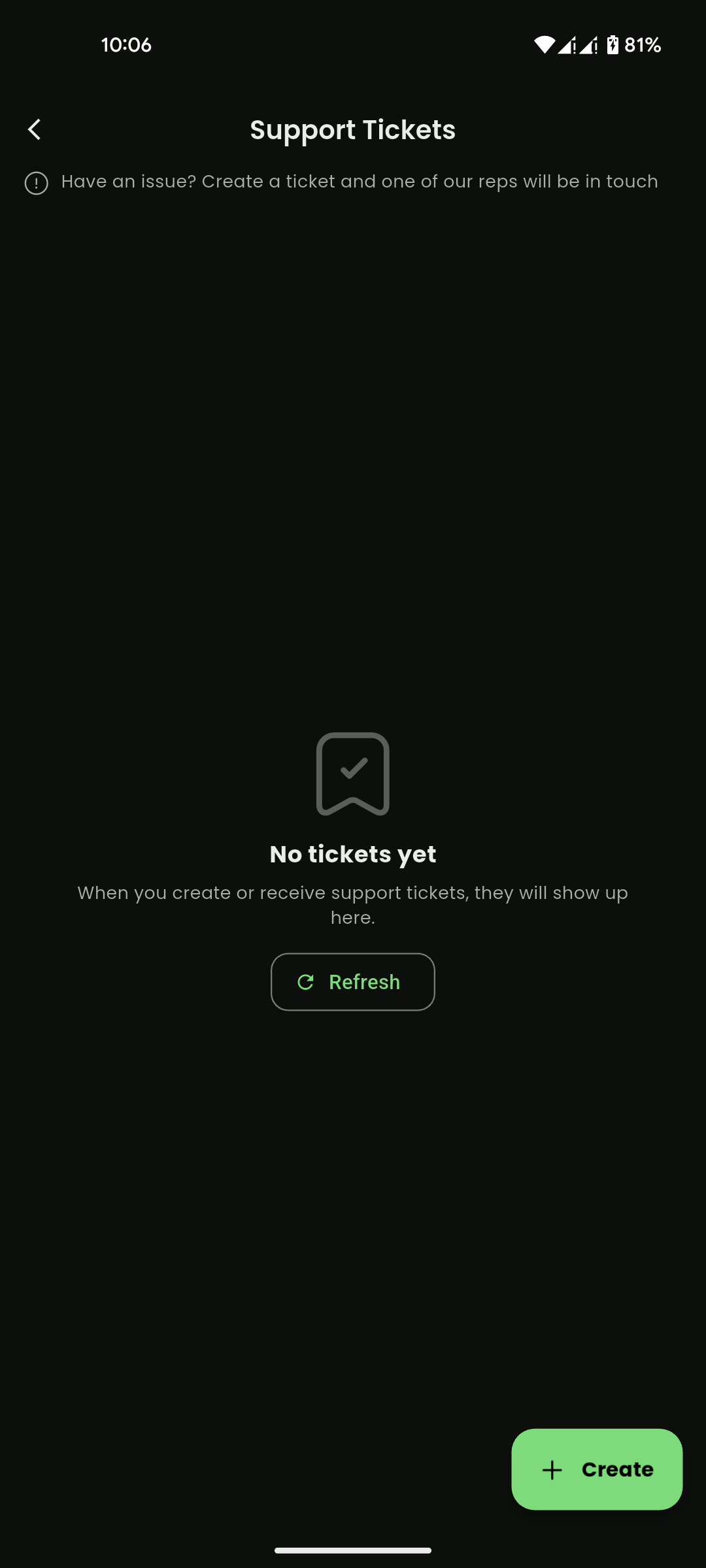
Mobile View
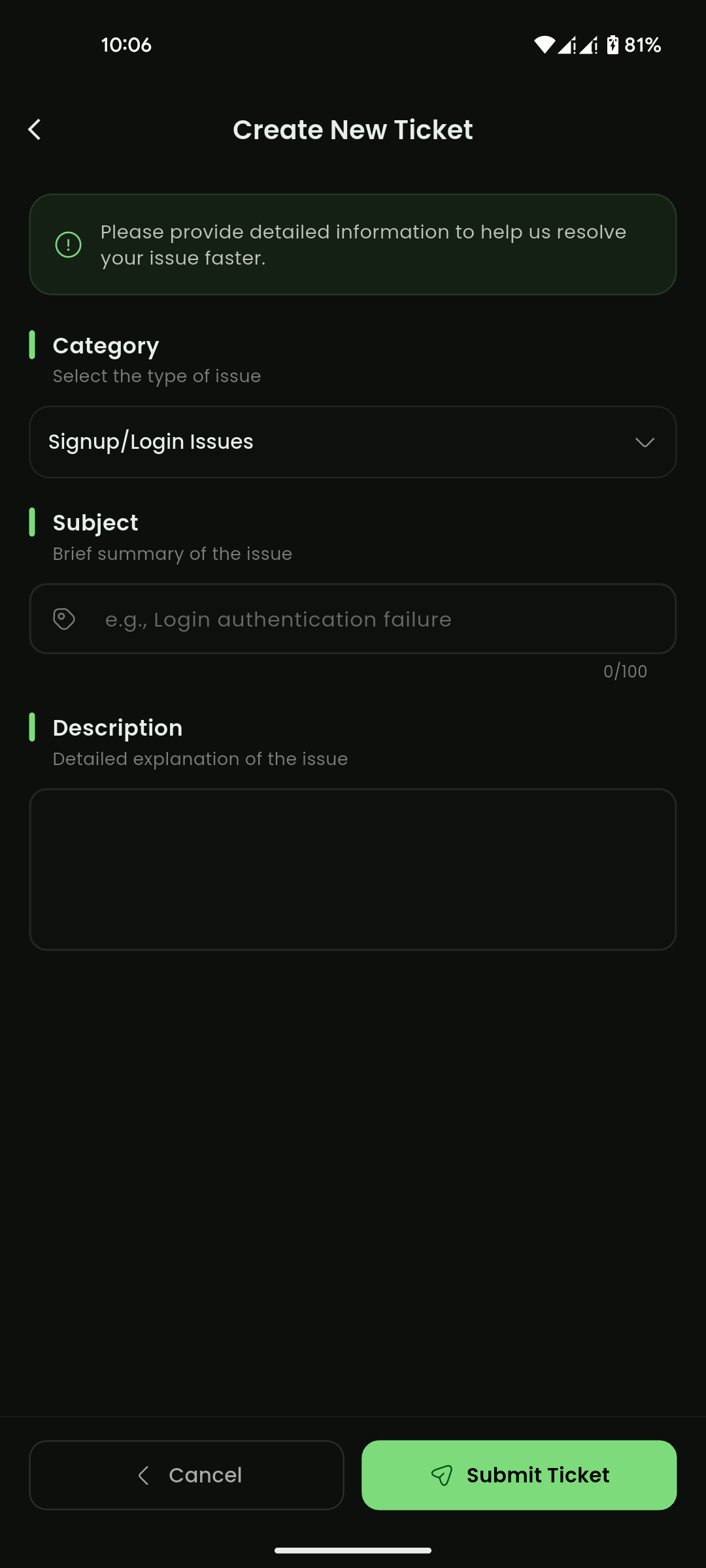
Mobile View