
What this feature does:
WhatsApp Settings allow authorized users to manage WhatsApp Business account information, business profile fields, payment setup status, and integration lifecycle actions.
When to use it:
Use WhatsApp Settings when connecting or updating your WhatsApp Business profile.
How to use it:
- Open Settings.
- Select WhatsApp Settings.
- Review Account Information (connected number, status, limits, and quality rating).
- Update Business Profile fields:
- Profile picture
- About
- Business address
- Business email
- Website
- Business description
- Business vertical
- Tap Save Profile Changes.
- Use Refresh to fetch the latest WhatsApp account state when needed.
- Use Delete WhatsApp Integration only when you intend to permanently remove the channel connection.
Expected result:
Your WhatsApp Business profile information is updated where supported.
Important notes:
- WhatsApp Business must be connected.
- Profile image requirements may include JPG/PNG and minimum size constraints.
- Payment setup can remain unconfigured until Razorpay configuration is completed.
- Deleting the WhatsApp integration permanently removes the connection.
- Confirm deletion carefully before proceeding.
- Contacts and message history may remain available in Chazt based on retention behavior.
Screenshots
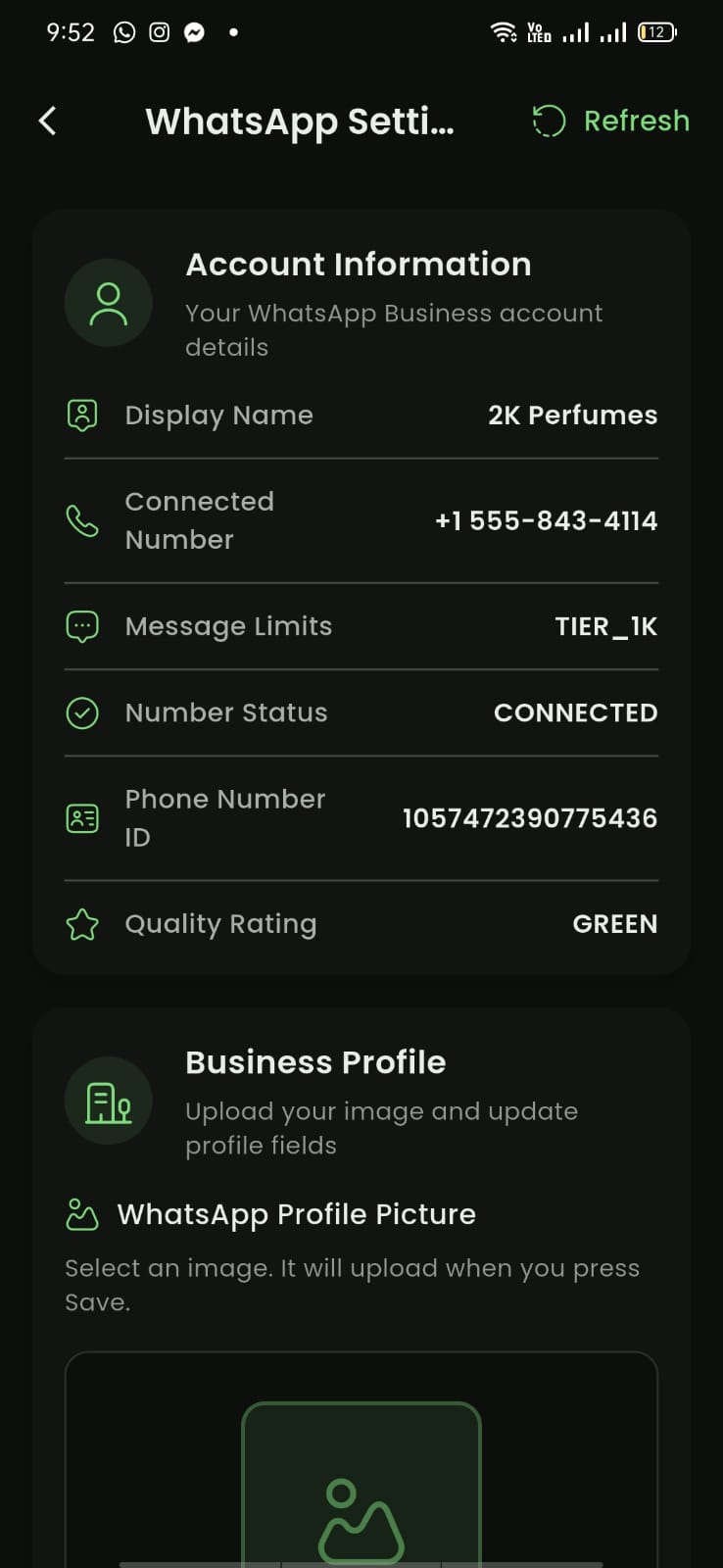
Mobile View
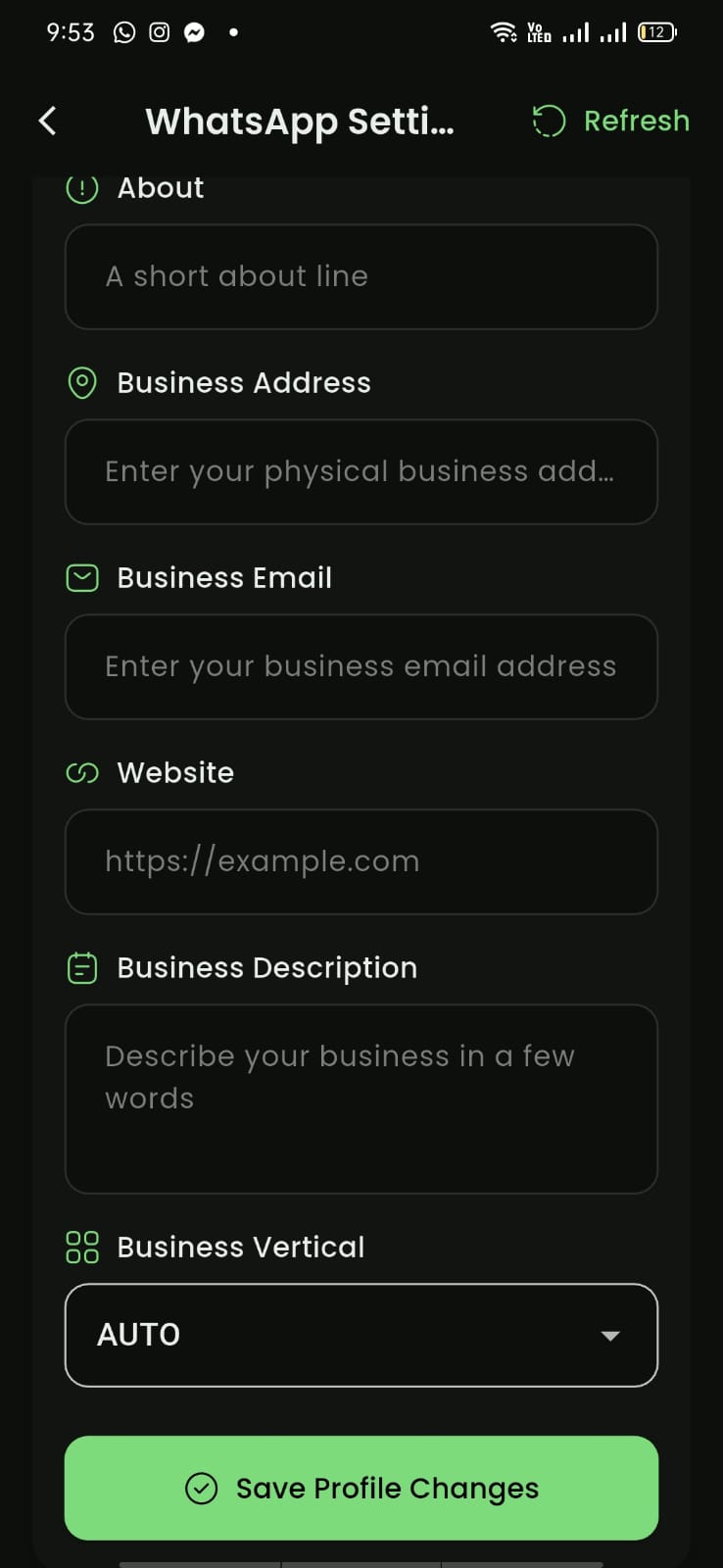
Mobile View
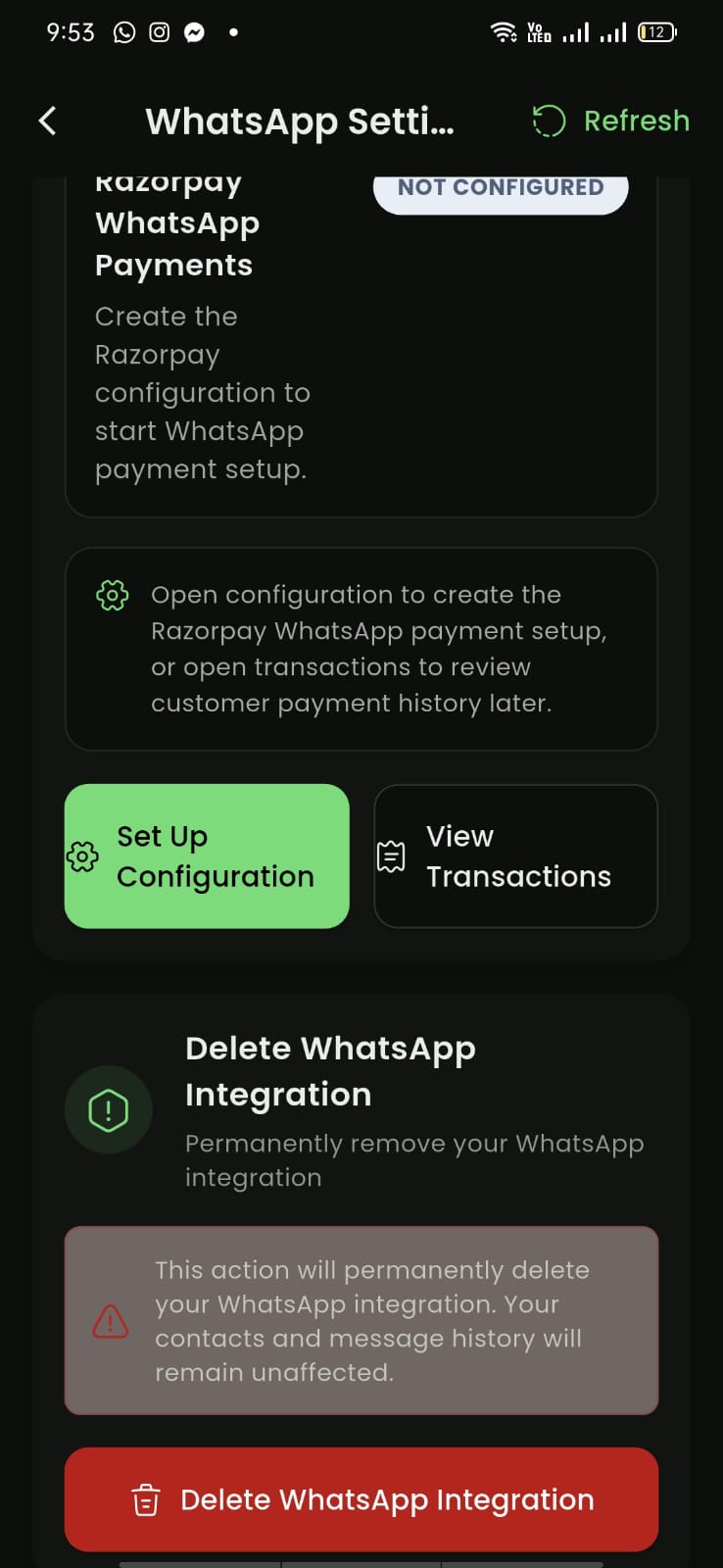
Mobile View