
What this feature does:
Leads help teams track potential customers and follow up on sales or service opportunities.
When to use it:
Use leads when a customer shows interest but has not yet become a confirmed customer.
How to use it:
- Open Leads.
- Search or select a lead.
- Review lead details.
- Update the lead status when needed.
- Add notes or reminders if available.
- Export leads if required.
Expected result:
The lead record is updated and your team can track follow-up activity.
Important notes:
- Leads may be generated from conversations or other connected workflows.
- Lead status options may be configured by your workspace.
- Lead export is available in the backend and should be confirmed in the UI.
Leads settings
Leads settings help admins standardize how leads are tracked across the team.
Common leads settings include:
- Lead status/stage values (for example: New, Contacted, Qualified, Lost).
- Assignment or ownership rules for team members.
- Default fields used while creating or updating a lead.
- Lead visibility and permission rules based on roles.
Expected result:
All users follow the same lead pipeline and reporting becomes more consistent.
Related pages
- Customers to view confirmed customer records.
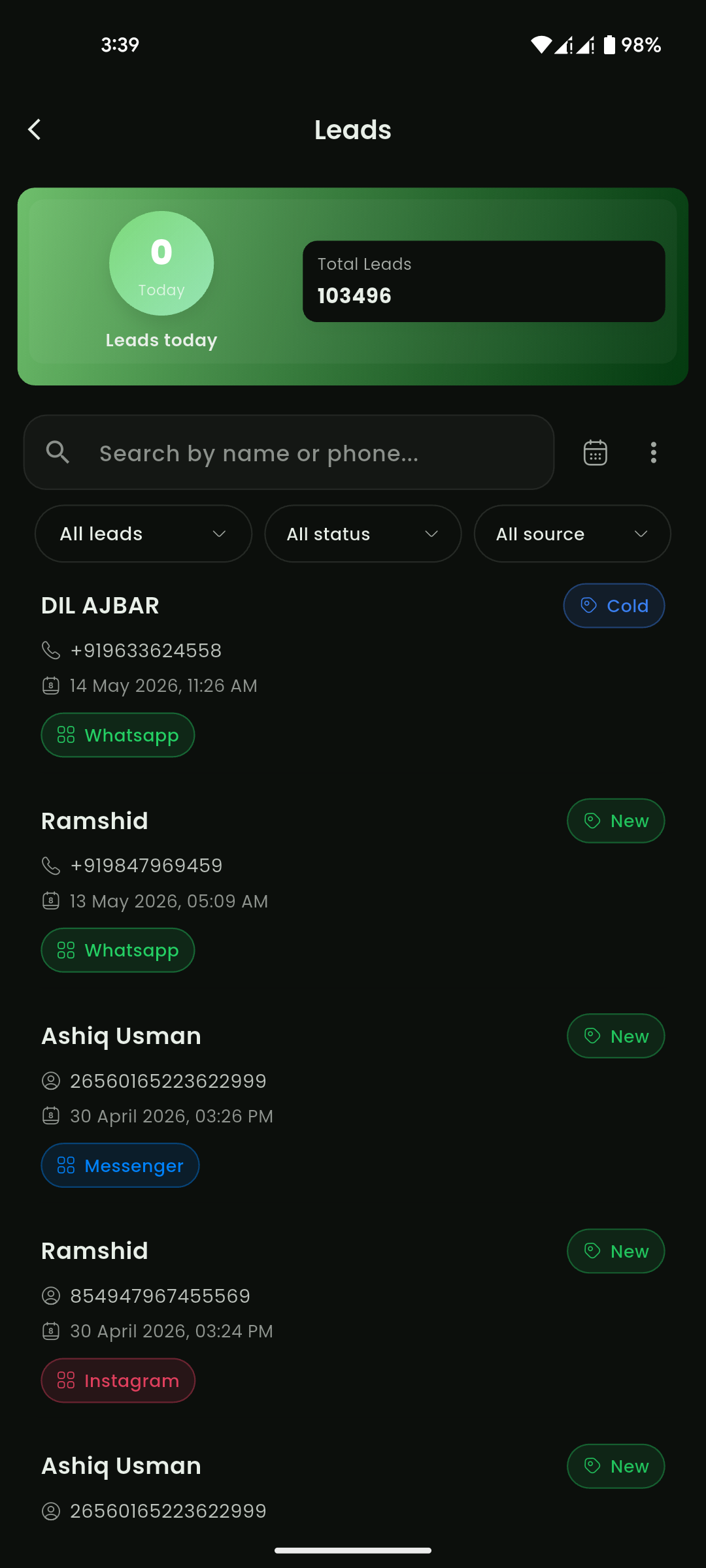
Mobile View
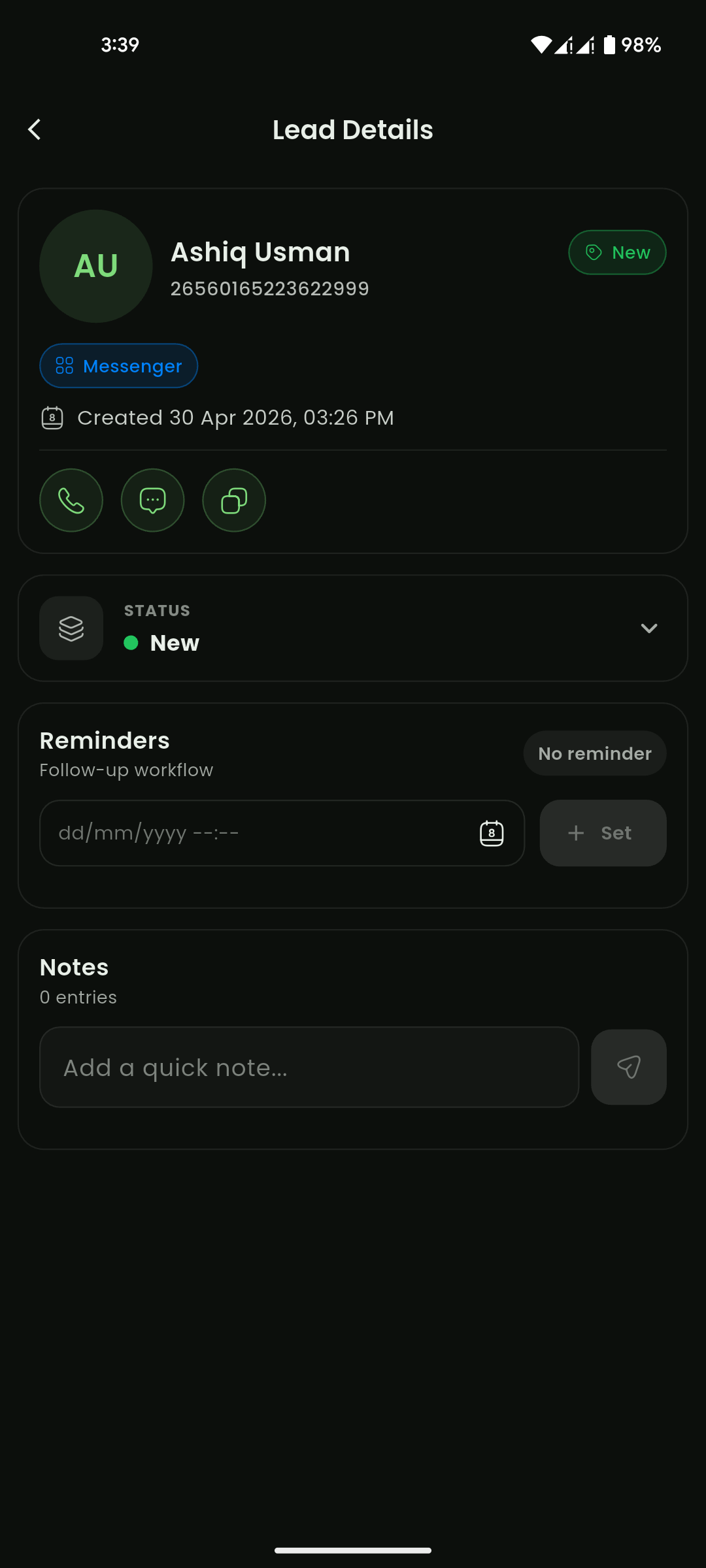
Mobile View